The Challenge: Ship a Website Before the App Launches
We had just finished building AI Video Dubbing Studio — an iOS app that lets you dub, narrate, subtitle, and voice-change any video using AI. The app was ready for the App Store. What wasn't ready? A marketing website.
We needed a production-grade site — not a placeholder. Something with a real design system, responsive layouts, SEO structured data, AWS cloud infrastructure, and multiple landing pages optimized for search. The kind of thing that would normally take a design agency a week and a developer another week to build.
Instead, we opened a terminal, launched Claude Code, and had everything live in about an hour.
This is exactly how we did it.
What Is Claude Code?
Claude Code is Anthropic's CLI tool for agentic coding. You run it in your terminal. You describe what you want in plain English. Claude reads your codebase, writes code, runs commands, and manages files — all through a natural conversation.
Think of it as pair programming with an AI that can actually touch your filesystem, run your build tools, and deploy your code. No copy-pasting from a chat window. No "here's what you should do" suggestions. It just does the work.
Skills are specialized instruction sets you can add to Claude Code. They give Claude deep expertise in specific domains — frontend design, Terraform, SEO, deployment. When you activate a skill, Claude doesn't just write generic code. It follows an opinionated, production-tested methodology.
The Process: Five Conversations, One Live Website
Here's the exact workflow we followed. Every step was a conversation in the terminal — no Figma, no mockups, no switching between tools.
Activated the Frontend Design Skill
Claude Code supports skills — think of them as expert personas. We activated the frontend-design skill, which makes Claude think like a senior designer: choosing distinctive fonts, building cohesive color systems, adding scroll animations, and avoiding the generic "AI slop" aesthetic.
The instruction was simple:
claude
> Build a marketing website for my iOS app "AI Video Dubbing Studio".
  It's a video dubbing app with 4 modes: Voice Changer, Dubbing Engine,
  Subtitle Studio, and Auto Narrate. Use a cinematic dark theme.
  The domain is viongen.com.
That's it. From that single prompt, Claude chose Syne for headings and Figtree for body text, created a cinematic dark color palette with violet-to-cyan gradients, built a film grain texture overlay, and generated the complete index.html, styles.css, and script.js with scroll animations, a floating language marquee, and responsive breakpoints.
Iterated on Design Through Conversation
Building a website isn't a one-shot task. We went back and forth with Claude just like you would with a human designer:
- "The images are portrait iPhone screenshots — they're getting cropped" — Claude switched from
object-fit: covertocontainwith dark background fills - "Move the walkthrough to a separate page" — Claude created
walkthrough.htmlwith its own SEO metadata and HowTo schema - "Remove brand names like Amazon Polly and Google Gemini — use tier names instead" — Claude found and replaced every reference across all files
- "The voices showcase image is broken" — Claude diagnosed that a
+character in the S3 filename was being interpreted as a space, renamed the file, and updated all references
Every instruction was natural language. No line numbers, no file paths, no "find and replace" commands. Just describe the problem and Claude solves it.
Built AWS Infrastructure with Terraform
A marketing site needs real infrastructure. We asked Claude to set up the hosting stack:
> Set up AWS hosting for viongen.com. I want S3 + CloudFront with HTTPS,
  Route 53 DNS, and ACM certificate. Use Terraform so it's reproducible.
Claude generated a complete website.tf file with:
- S3 bucket with private access, versioning, and AES256 encryption
- CloudFront distribution with Origin Access Control (OAC), TLS 1.2, gzip compression, and separate cache behaviors for HTML (5 min TTL) vs images (1 year TTL)
- ACM certificate with DNS validation for both
viongen.comandwww.viongen.com - Route 53 records — A + AAAA for both apex and www domains
- Custom error pages — 403/404 routed gracefully to index.html
It also created a deploy.sh script that uploads files with correct MIME types and cache headers, then invalidates the CloudFront cache. One command to deploy everything.
Added SEO and Search Console Verification
We told Claude to optimize the site for search engines. It added:
- Schema.org structured data —
SoftwareApplicationon the homepage,HowToon the walkthrough,BlogPostingon this page - Open Graph + Twitter Cards — proper social media previews on every page
- Canonical URLs — preventing duplicate content issues
- sitemap.xml + robots.txt — for search engine crawlers
- Google Search Console verification — Claude added the TXT record directly to Route 53 via both AWS CLI (for immediate effect) and Terraform (for persistence)
When we shared a screenshot of the Google Search Console verification page, Claude extracted the verification string and added the DNS record — all from a single instruction.
Created Dedicated SEO Landing Pages
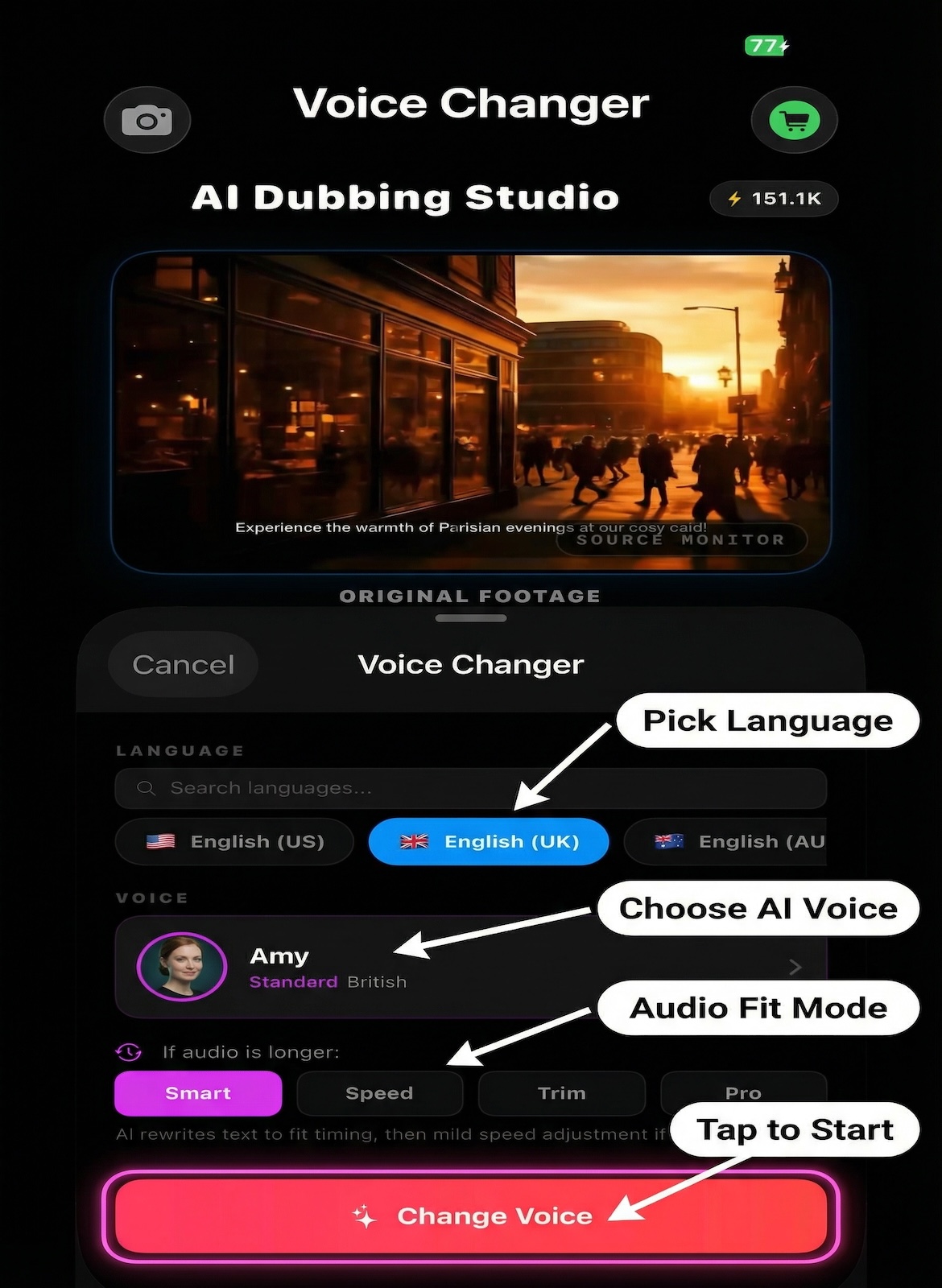
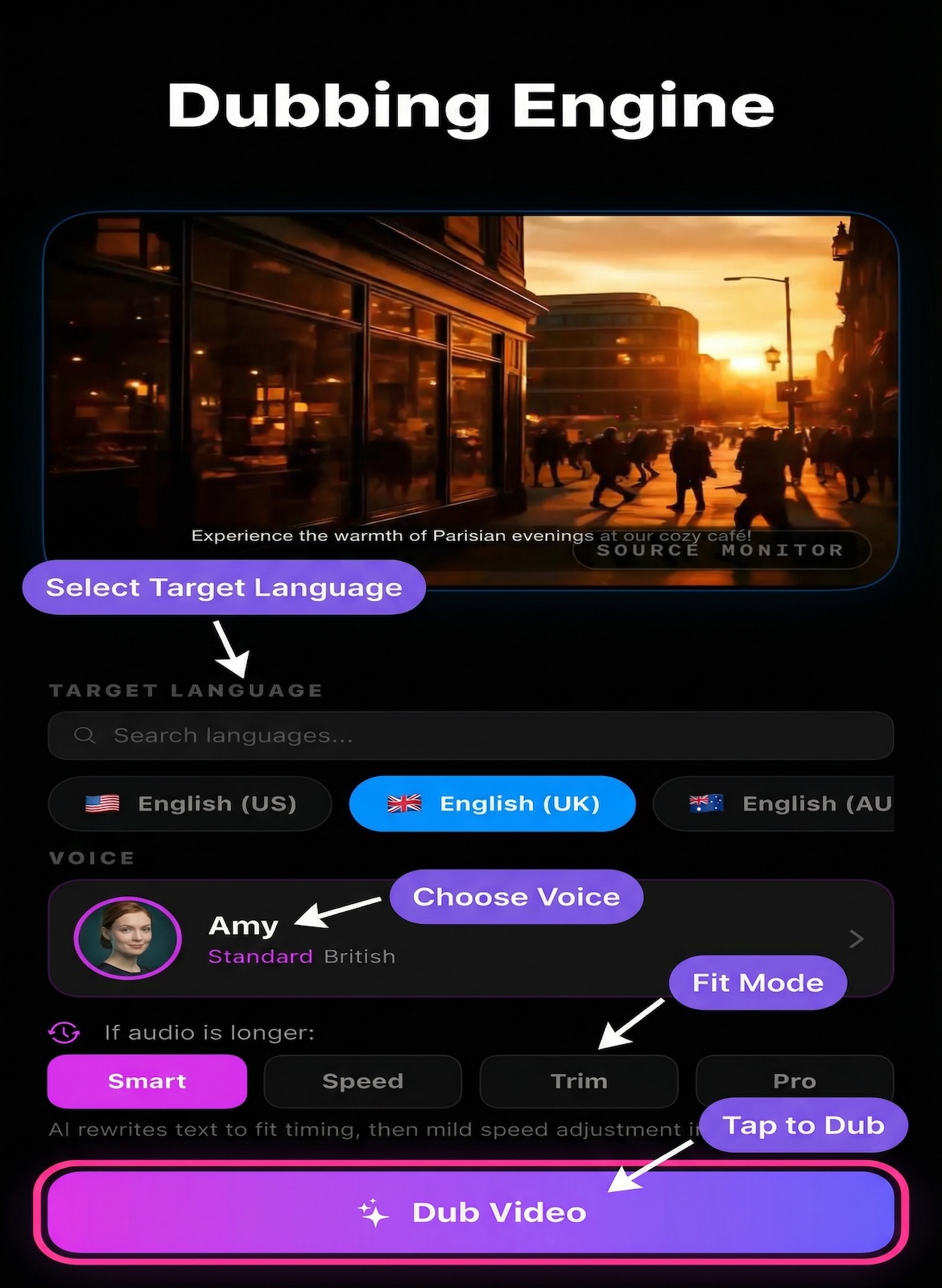
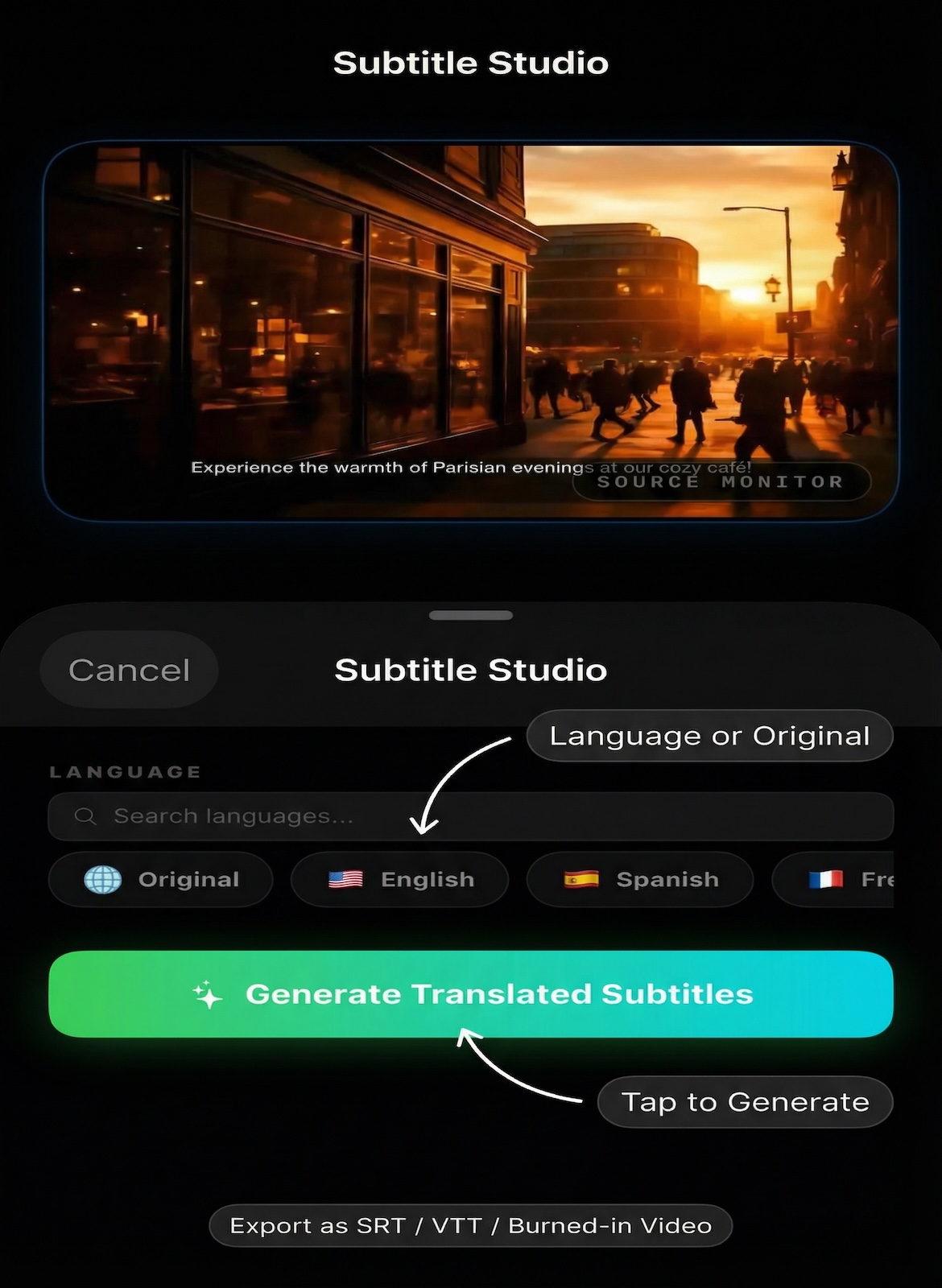
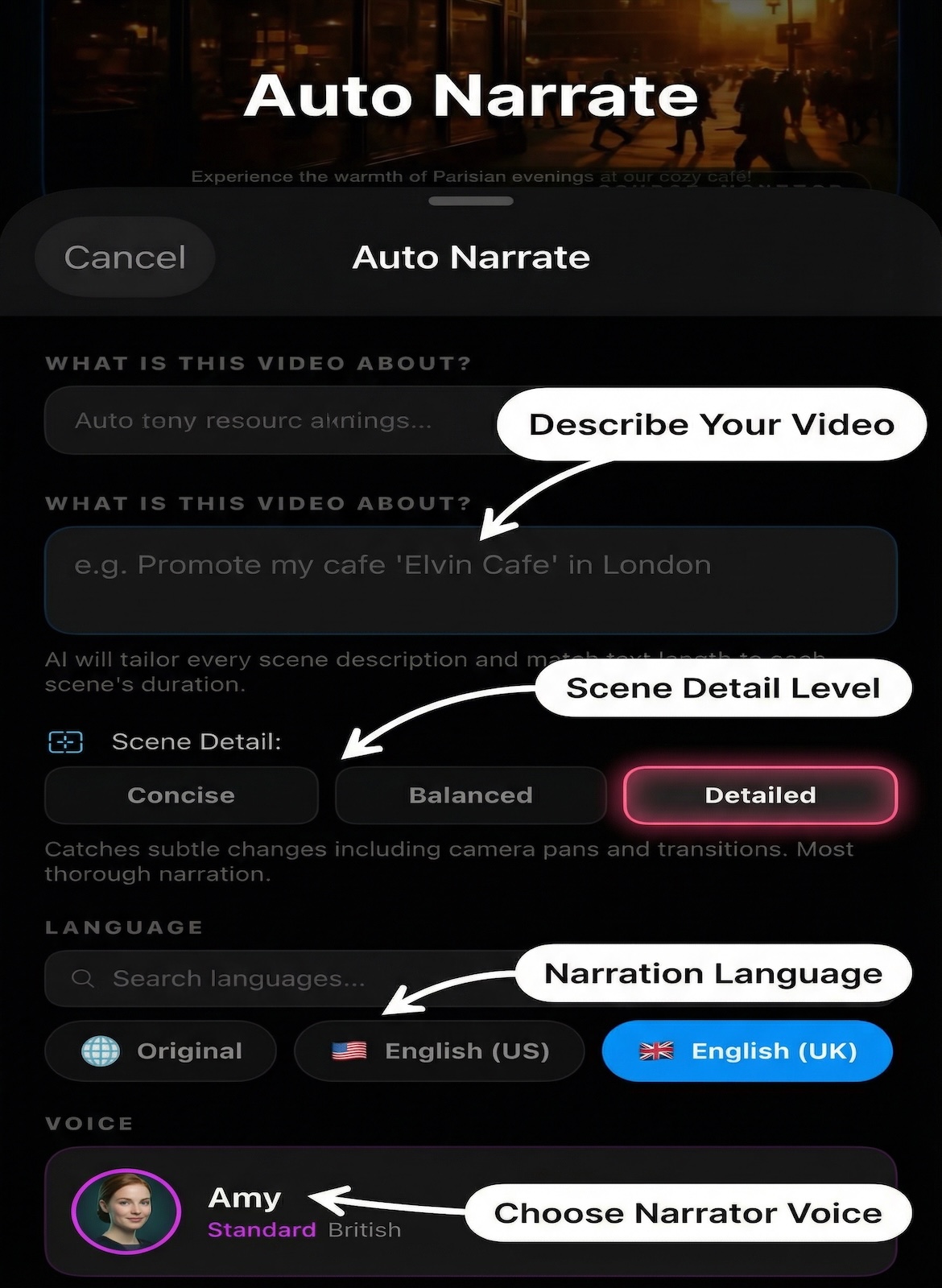
For long-tail keyword coverage, we asked Claude to create separate landing pages for each AI mode — each with its own targeted keywords, unique meta descriptions, and Schema.org data:
> Create separate pages for each AI mode — voice changer, dubbing engine,
  subtitle studio, auto narrate. Each should have different SEO keywords
  targeting iOS and iPhone users. Use the images we already have.
Claude spun up 4 agents in parallel — one for each landing page — and generated them simultaneously. Each page has unique keyword targeting, its own Schema.org SoftwareApplication, cross-links to the other modes, and shared CSS from the main stylesheet. No duplicated design code.
What We Ended Up With
Here's everything that's live on viongen.com right now:
- Homepage — cinematic marketing page with feature grid, voice showcase, stats bar, pricing, and App Store CTA
- How It Works — step-by-step visual guide with HowTo schema
- Voice Changer — SEO landing page targeting "ai voice changer ios"
- Dubbing Engine — SEO landing page targeting "ai dubbing app iphone"
- Subtitle Studio — SEO landing page targeting "ai subtitle generator ios"
- Auto Narrate — SEO landing page targeting "ai narration app iphone"
- This Blog Post — because why not build the blog with Claude Code too?
Plus: AWS infrastructure (Terraform), automated deploy script, sitemap.xml, robots.txt, Google Search Console verification, and responsive design across all breakpoints.
How to Do This Yourself: A Quick Guide
1. Install Claude Code
npm install -g @anthropic-ai/claude-codeOr download the desktop app for Mac or Windows. It also works as a VS Code and JetBrains extension.
2. Add the Frontend Design Skill
Skills give Claude specialized knowledge. The frontend-design skill makes it think like a senior designer — distinctive typography, cohesive color systems, thoughtful animations, and no generic templates.
You can add skills through Claude Code's settings or by adding a CLAUDE.md file to your project with instructions.
3. Start with a Clear Brief
The more context you give upfront, the better the first pass. Include:
- What your app does (one paragraph)
- Target audience
- Design direction ("cinematic dark", "clean minimal", "playful")
- Domain name and hosting preferences
- Any existing brand assets (images, colors, logos)
4. Iterate Like You're Talking to a Designer
Don't try to get everything perfect in one prompt. The power of Claude Code is the conversation:
- "Make the images smaller"
- "Move this section to a separate page"
- "The images are cropped — they're portrait screenshots"
- "Add SEO for each feature page"
Each instruction builds on the previous work. Claude remembers the full context of your project.
5. Ask for Infrastructure Too
Claude Code isn't just for frontend. Ask it to write Terraform, deploy scripts, set up DNS records, configure CDN caching rules, or generate sitemaps. It runs commands in your terminal — so it can aws s3 cp, terraform apply, or git push right in the same conversation.
When Claude Code creates multiple independent pages, it can launch parallel agents — separate processes that work on different files simultaneously. Our 4 SEO landing pages were generated in parallel, cutting the time to a fraction of what sequential work would take.
What We Learned
- Natural language beats specifications. "The images are portrait iPhone screenshots and they're getting cropped" is a better instruction than "change object-fit from cover to contain." Claude understands the intent and applies the fix across all affected selectors.
- Skills make a massive difference. Without the
frontend-designskill, Claude would generate functional but generic-looking HTML. With it, you get distinctive fonts, cohesive color systems, film grain textures, and scroll-triggered animations. - Iterate, don't over-specify. A vague first prompt + 5 rounds of feedback produces a better result than trying to write a 500-word specification upfront. Claude Code is built for conversation.
- Let it handle the boring stuff. SEO metadata, Schema.org markup, sitemap generation, cache-control headers, CloudFront invalidation — these are tedious, error-prone tasks that Claude handles flawlessly.
- One tool, full stack. The same conversation that designed the frontend also wrote the Terraform, configured DNS, and deployed to production. No context-switching between tools.
Try It Yourself
If you're an indie developer, a startup founder, or anyone with an app that needs a website — you don't need to hire an agency or spend a week in Webflow. Open your terminal, describe what you want, and let Claude Code build it.
The website you're reading this on is proof that it works.